

Art Catalogue Website: Exhibits, Museums and Authors with Social Login
A bilingual catalogue of paintings, museums and artists with search, favorites, social login and an admin panel with content import
NDA Covered
About the project
The client wanted a catalogue of art on the web. A visitor should find a painting, see who painted it and learn which museum keeps it. The site had three kinds of pages: exhibits, museums and authors, and it had to speak two languages.
The project started with a custom PHP back end and an admin panel built from a written specification. When the first developer left, we took over the code, completed the missing parts and brought the site to a launch on the client's own server.
What we delivered
THE CHALLENGE
- A specification in eight stages.
- A developer who left.
- Phones and tablets to support.
- A client server to deploy on.
THE SOLUTION
- Exhibits, museums and authors.
- Search and favorites.
- Social login through OneAll.
- An admin panel with import.
THE OUTCOME
- A launched catalogue.
- Layouts for phones and tablets.
- Login with social accounts.
- Working mail and import.
A catalogue is only as good as its search: a visitor should reach the painting in two clicks.
A catalogue of exhibits, museums and authors
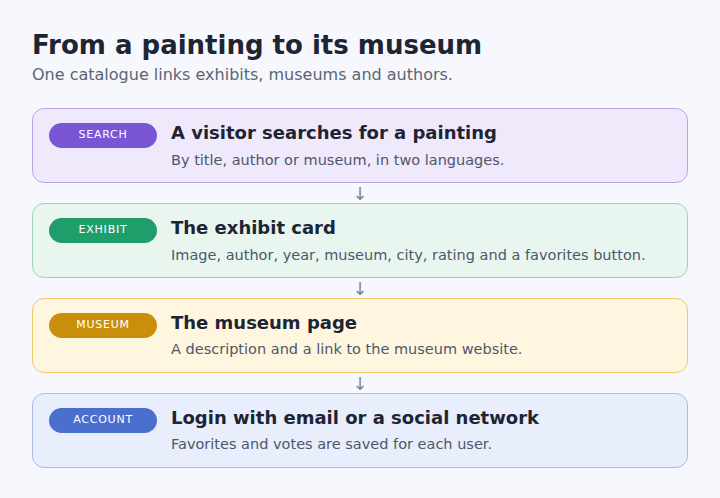
Every exhibit is a card with an image, an author, a year, a museum, a city and a rating. A museum page describes the museum and links to its own website. An author page lists the works of the artist.
In addition, visitors can search the catalogue, vote for exhibits and keep favorites. Registration, login and password recovery complete the account features. We handled special cases in search, for example museum names with an apostrophe, which broke the query at first.
Login with social accounts
Users sign in by email or through a social network. We connected the OneAll service, tested the main social networks, and set up the plugin for the client's own account. Google login needed settings in the client's own OneAll cabinet.
Meanwhile, we configured the registration emails on the server, including the sender records.
Layouts for phones and tablets
The product owner tested the site on real devices, an iPhone and an iPad, and sent screenshots after every round. We built a responsive layout with one, two or four columns of cards, depending on the screen, and a mobile version below 768 pixels.
Later we changed the breakpoint so that one column appears only on the smallest phones, and we fixed a menu bug in Safari. Finally, we reworked several pages according to the client's mockups and screenshots.
An admin panel and a content import
Editors manage exhibits, museums, authors, reviews and users in the admin panel. Every list has sorting, pagination and filters, and the panel generates thumbnails for images.
The content came as an archive and spreadsheets, so the admin panel imports and parses it. A large import file of 1.4 GB did not upload on the server, while a test copy handled the same code well, which pointed to the server settings.
Deployment on the client's server
In August 2017 we moved the site to the client's server and attached the domain. By November the database with the content was restored, mail worked and the site was running with real data.
A test copy on our side loaded faster than the live server, which showed that the remaining slowness came from the server settings, not from the code. As a result, the next step was server tuning.
What turned out to be hard
- A handover in the middle. The source code after the seventh stage of the specification was hard to find, so we collected the sources from the client's server and from our own and worked from a task list.
- Changes outside the specification. The client asked for new features during the work, and we tracked every item on a shared board.
- Responsive layout on real devices. Phones and tablets behaved differently, so the client tested on real devices and we iterated on his screenshots.
- Server limits. Mail delivery, large uploads and page speed depended on the server set-up, and we diagnosed them step by step.
Result of the project
We built and launched the catalogue in 2017, continued with the remaining tasks until early 2018 and delivered the project to the client. The product combined a bilingual catalogue, search, social login and an admin panel with import.
Looking for a catalogue or a content website? See our custom web app development or read how we built a marketplace with an interactive map. The social login relies on the OneAll service.
Need a content site or a catalogue? Tell us about your task.
SEE MORE OUR CASE STUDIES
Contact us
Please fill out the form, and we will get back to you once your request has been processed.
You can also send your request directly to our email: info@24gen.space
We will respond as soon as possible after receiving your message.